
How To Mic A Snare Drum: Pro Recording Guide
Place one dynamic mic near the snare’s edge, aim it at the center, and check phase before recording.
Learning how to mic a snare drum is one of the fastest ways to improve a drum mix. The snare carries the song’s backbeat, so its sound must stay clear, strong, and consistent. With the right mic, angle, distance, and gain level, you can capture attack, body, wire noise, and room tone without relying on heavy processing later.
Why Snare Microphone Placement Matters
A snare drum produces several sounds at once. The center of the head gives you attack and focus. The edge adds more tone and ring. The bottom head and snares create the crisp buzz that helps the drum cut through guitars and vocals.
A small change in mic position can shift the whole sound. Moving the mic closer to the center often adds stick attack. Moving it toward the rim usually adds a rounder tone and less click. Raising the mic can capture more of the shell and surrounding kit.
When learning how to mic a snare drum, think of the microphone as a listener’s ear. Ask what part of the drum you want that ear to notice.
A close mic gives you control and isolation. A more distant mic gives you a natural sound but also captures hi-hat, cymbals, and room reflections. Neither choice is always right. The best option depends on the song, room, drummer, tuning, and arrangement.

The Best Microphones for a Snare Drum
Dynamic microphones are the most common choice for snare drums. They can handle high sound pressure levels and often provide the midrange push needed for a strong backbeat.
Popular choices include:
• A Shure SM57 for a familiar, focused snare sound
• A Sennheiser MD 421 for a larger and more open tone
• An Audix i5 for sharp attack and strong presence
• A Beyerdynamic M 201 for a smooth, controlled sound
• A small-diaphragm condenser for extra detail and top-end snap
The Shure SM57 remains popular because it is tough, affordable, and easy to position. It also has a useful presence peak that helps the snare speak through dense guitars. Still, a different microphone may suit your drum better.
A dark snare may benefit from a brighter microphone. A thin or harsh snare may sound better with a smoother dynamic mic. Do not choose a microphone only because it is famous. Choose the microphone that makes the drum sound closest to the result you want.
A condenser microphone can capture more detail, but it may also pick up more hi-hat and cymbal spill. It may require phantom power, so confirm that the microphone is designed for it and that your interface can provide stable power.
How to Mic a Snare Drum Step by Step
Use this basic method when setting up a close snare microphone.
1. Tune the snare first
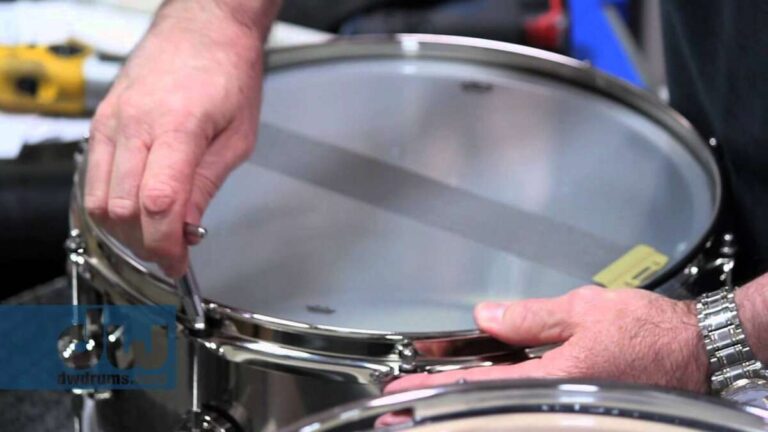
Microphone placement cannot fix a poorly tuned drum. Tune the top and bottom heads before placing the mic. Check for even tension around the lugs and remove unwanted rattles.
Ask the drummer to play the part at the same volume used in the song. A snare can sound very different during a soft verse and a loud chorus.
2. Start above the top head
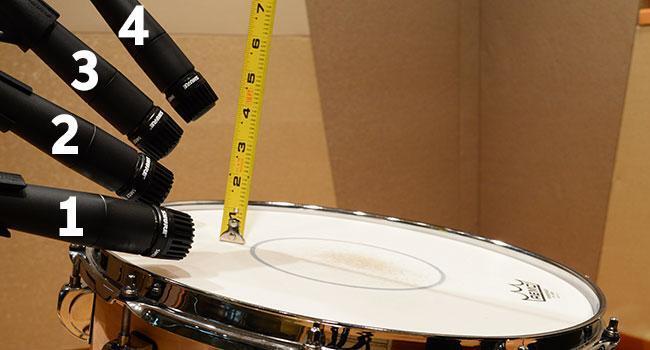
Place the microphone about 1 to 3 inches above the top head. Aim it toward the area between the center and the rim. This position gives a useful mix of attack, body, and tone.
Keep the microphone out of the drummer’s stick path. A broken mic is expensive, and a nervous drummer will not perform well while worrying about hitting it.
3. Set the angle
Point the microphone downward at roughly a 30 to 60-degree angle. A steeper angle often captures more attack. A flatter angle may capture more ring and shell tone.
Start with the capsule aimed toward the center of the head. Then move it toward the rim if the sound is too sharp or aggressive.
4. Check the distance
Move the mic closer for a tight, punchy sound. Move it farther away for a more open and natural tone. Small changes matter because the snare is loud and highly directional.
Avoid placing the mic so close that the sound becomes overly boomy or the drummer hits it. A safe starting point is about two finger widths above the rim.
5. Record a short test
Record several hits and a full section. Listen in the context of the entire band, not only with the snare soloed.
A snare that sounds huge alone may become harsh with guitars. A slightly dull snare may fit perfectly once the bass, vocals, and cymbals enter.
6. Move the microphone before using EQ
If the snare lacks body, move the mic toward the center or slightly farther away. If it sounds too bright, aim it more toward the rim or turn the rear of the microphone toward the hi-hat.
Physical placement often solves problems more naturally than equalization.

Top Mic Placement for Attack and Body
The top microphone is usually the main snare microphone. It captures the stick hit, head tone, and much of the shell resonance.
For more attack, aim closer to the center. This produces a sharper sound that works well in rock, punk, metal, and pop. Be careful, because too much center focus can make the snare clicky or hard.
For more body, aim between the center and edge. This position often gives a balanced tone with enough crack and fullness. It is a strong starting point for many studio and live setups.
For less hi-hat spill, place the microphone so its least sensitive area points toward the hi-hat. Most cardioid microphones reject sound best from the rear. This technique uses the microphone’s polar pattern to reduce unwanted cymbal noise.
The best top mic placement for a snare drum is not a fixed measurement. It is a listening process. Have the drummer play while you move the mic by small amounts. Even a half-inch change can make a clear difference.
Bottom Mic Placement for Snare Wires
A bottom microphone captures the rattle and brightness of the snare wires. It can add detail that the top microphone does not capture.
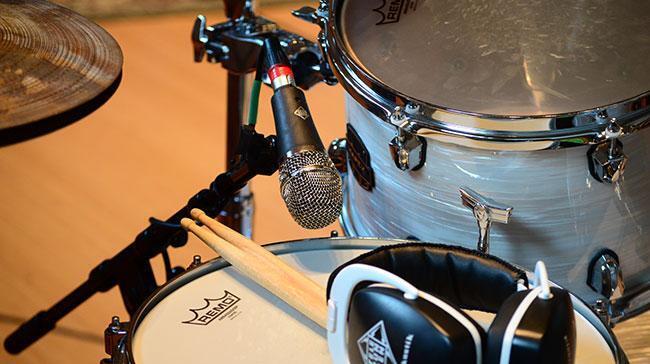
Place the bottom mic about 1 to 3 inches below the bottom head. Aim it toward the wires, but keep it far enough away to avoid contact with the drum or stand.
The bottom mic is often mounted upside down or at an angle to create space for the stand. The exact position depends on the drum hardware and the available room.
The bottom microphone’s polarity is especially important. Sound travels from the top head through the drum shell and reaches the bottom mic at a different time. This can cause phase cancellation when both microphones are combined.
Engage the polarity reverse button on the preamp or mixing console, then compare both settings. Choose the one that gives you more low-mid body and a stronger snare tone. Polarity reversal is not the same as full time alignment, but it often makes a major improvement.
If the bottom mic sounds thin when combined with the top mic, try these steps:
• Reverse its polarity
• Move it slightly closer or farther from the head
• Adjust the top mic by a small amount
• Check the track in mono
• Use a small delay only when necessary
You do not always need a bottom mic. If the top microphone already captures enough wire sound, adding another mic may only increase cymbal spill and phase problems.
How to Reduce Hi-Hat and Cymbal Bleed
Hi-hat bleed is one of the most common snare recording problems. It can make the snare track sound fizzy, harsh, or difficult to compress.
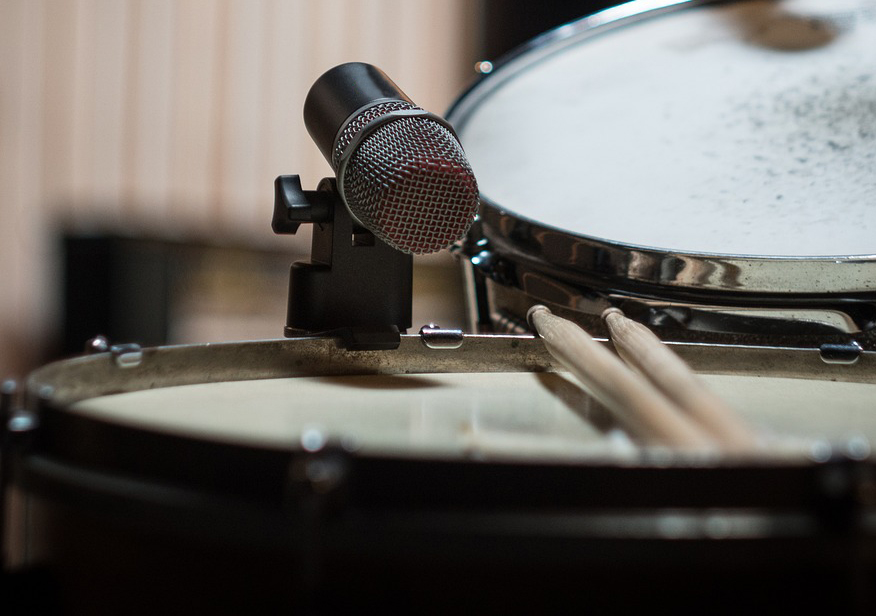
Start with placement. Point the microphone’s rear toward the hi-hat when possible. Keep the mic close enough to the snare that the drum is much louder than the surrounding cymbals.
Ask the drummer to adjust the hi-hat angle or height if it sits directly over the snare microphone. Small kit changes can help more than complex editing.
You can also try:
• Lowering the microphone slightly
• Angling the capsule away from the hi-hat
• Using a microphone with strong side rejection
• Choosing a tighter dynamic microphone
• Applying a gentle high-cut filter