How To Turn Sounds Into Drums: Quick Guide For Producers
You can turn any sound into drums using sampling, shaping, and layering techniques.
I’ve spent years turning odd sounds into tight drum hits for beats, film, and sound design. This guide explains how to turn sounds into drums step by step. You’ll learn practical workflows, tools, and creative tips I use in real projects. Read on to master the process and make unique drum kits from any audio source.

Why turn sounds into drums?
Making drums from found or recorded sounds gives your tracks a unique identity. You avoid canned kits and make beats that stand out. The process also teaches mixing and sound design skills that boost your work.
Turning everyday noises into drums helps you solve creative blocks. It also creates sonic cohesion across a track when the drum textures match the field sounds. If you want signature drums, learning how to turn sounds into drums is a core skill.
How to turn sounds into drums: A step-by-step workflow
- Capture or choose a sound.
- Use a phone, field recorder, synth, or sample library. Short, percussive sounds work best.
- Record at a decent level. Avoid heavy clipping.
- Edit and trim.
- Isolate the transient or the core of the hit.
- Remove silence and noise around the hit.
- Normalize and clean.
- Normalize to make levels consistent.
- Use noise reduction if needed.
- Shape the transient.
- Use an envelope or transient shaper to add attack or soften it.
- A clear attack helps the sound read as a drum.
- Tune the hit.
- Use pitch shifting or tuning to match the key or sub frequencies you want.
- Small pitch moves can turn a click into a snare or rim.
- Layer and enhance.
- Layer with a sub kick, clap, or click to add weight and clarity.
- Blend layers with EQ and gain staging.
- Process with EQ and compression.
- Cut cluttering mids. Boost a punchy band where needed.
- Use short compression for snap and longer for glue.
- Resample and test in context.
- Put the new drum in a beat. Adjust attack, decay, and tuning to sit with other instruments.
This clear workflow answers how to turn sounds into drums in practical steps. Apply it repeatedly and you’ll build a custom kit fast.
Tools and plugins that make it easy
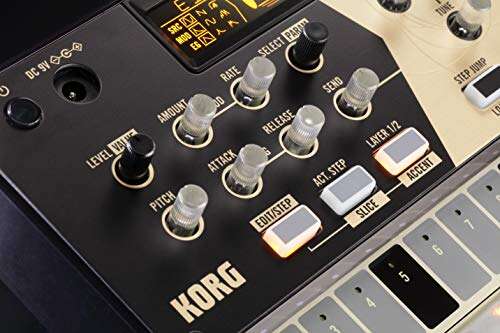
- Sampler instruments
- Use a modern sampler to map hits and set envelopes.
- Many samplers include velocity layers and loop options.
- Transient shapers
- These emphasize or reduce attack and sustain quickly.
- Pitch and time tools
- Use simple pitch-shift or a granular tool for creative hits.
- Slicers and audio-to-MIDI
- Slice long audio into hits and convert to MIDI for rhythmic control.
- EQ, compression, and saturation
- Essential for sculpting tone and adding warmth.
- Drum replacement and transient detection tools
- Useful for fast conversions of drum-like hits.
From low-cost samplers to pro plugins, these tools help you turn sounds into drums efficiently.

Advanced techniques: shaping, layering, and resampling
Transient shaping
- Boost attack to make soft hits pop. Reduce sustain to tighten loose hits.
- Use parallel transient shaping for more control.
Layering for full-bodied drums
- Add a clean sine or sub for low-end punch.
- Add a short click layer for presence on small speakers.
- Use crossfade and phase-checking to avoid cancellations.
Pitch envelopes and modulation
- Short pitch drops simulate acoustic toms and kicks.
- Modulate pitch with LFOs for creative percussive textures.
Resampling and processing chains
- Bounce processed hits and re-import them. Then re-process.
- Running multiple resampling passes yields rich, evolving drums.
Spectral and granular approaches
- Use spectral shaping to remove competing frequencies.
- Granular resynthesis gives new percussive textures from long tones.
These advanced moves show how to turn sounds into drums that feel professional and musical.

Creative sample sources and legal notes
Where to find sounds
- Household items like pots, doors, and books.
- Field recordings: city noise, nature, machinery.
- Synth patches and vocal chops.
How to choose good source material - Look for clear transients or interesting tonal content.
- Sounds with unique timbre make memorable drums.
Legal and ethical tips - Record your own sounds when possible.
- Respect copyright: don’t repurpose protected studio stems without permission.
- Use royalty-free libraries or clear licenses when sampling others.
Using novel sources helps you learn how to turn sounds into drums while staying clear of legal trouble.

Troubleshooting and common mistakes
Common pitfalls
- Overprocessing: too much compression or saturation can kill dynamics.
- Bad phase: layered hits can cancel low end and thin the sound.
- Poor tuning: an out-of-tune kick fights the bass and hurts the mix.
How I fixed these in my workflow - I learned to check phase with soloed layers and invert if needed.
- I started tuning hits by ear and with a tuner plugin to lock low end.
- I switched to short resampling passes to keep dynamics alive.
If your drum sounds feel weak, go back to transient, tuning, and phase checks. These three fixes often solve the problem.

People also ask
Can any sound become a drum?
Yes. Any sound with transient or tonal content can be shaped into a drum. Short editing, transient work, and tuning make it work.
Is sampling a real instrument?
Yes. A sampler lets you play recorded hits like an instrument. It offers dynamics, pitch control, and mapping like any synth.
Do I need expensive gear to make drums from sounds?
No. A phone recorder, free sampler, and basic plugins are enough to start. Better gear helps but is not required.

Frequently Asked Questions of how to turn sounds into drums
What is the fastest way to make a drum from a sound?
Trim to the transient, boost the attack with a transient shaper, tune the hit, and layer a click or sub. This quick chain gives instant drum-like results.
Can vocals be turned into drums?
Yes. Plosive consonants and vocal pops work well as snares or claps after shaping and EQing. Pitching and transient work help a lot.
How do I keep low end when layering samples?
Check phase alignment and use a single dedicated sub layer for low frequencies. High-pass other layers to avoid mud.
What sample rate and bit depth should I use?
Record at standard rates like 44.1 kHz and 24-bit for good quality. Higher rates help in some workflows but are not required.
Should I tune every drum hit?
Tune to taste. Tuning helps the drum sit with bass and harmony. Small cents adjustments often work better than large jumps.
Conclusion
Turning sounds into drums is a creative skill you can learn quickly with practice. Follow the workflow: capture, edit, shape, tune, layer, and test in context. Try new sources and keep notes on what works for you.
Start today: record one sound, follow the steps here, and build a single drum hit. Share your results, subscribe for more tips, or leave a comment about what you made.

Senior Music Reviewer
Alex Carter is a seasoned music reviewer with over a decade of experience in the world of sound and instruments. Passionate about helping musicians and enthusiasts make informed choices, he brings sharp insights and in-depth knowledge to every review. From classical instruments to modern gear, Alex combines technical expertise with a love for music to deliver content that resonates with readers.
As a Senior Music Reviewer and expert author on Tuneluma.com, Alex is dedicated to sharing honest evaluations, practical advice, and thoughtful commentary to guide readers in their musical journey.