How To Mic A Bass Drum: Studio Recording Guide
To mic a bass drum, place a kick microphone near the beater impact, then adjust its angle, depth, and EQ.
Learning how to mic a bass drum is part technique and part careful listening. The right position captures attack, low-end weight, and room tone without making the kick sound muddy or thin. This guide explains how to mic a bass drum in live rooms, rehearsal spaces, and recording studios, with practical steps that work for beginners and experienced engineers.
What You Need to Mic a Bass Drum
Before learning how to mic a bass drum, gather the right tools. You do not need the most expensive equipment, but each piece should suit the job.
You will typically need:
- A dynamic kick drum microphone
- A strong, low-profile microphone stand
- An XLR cable
- A mixing console, audio interface, or microphone preamp
- Headphones or studio monitors
- A drum key for tuning
- A flashlight for checking microphone placement
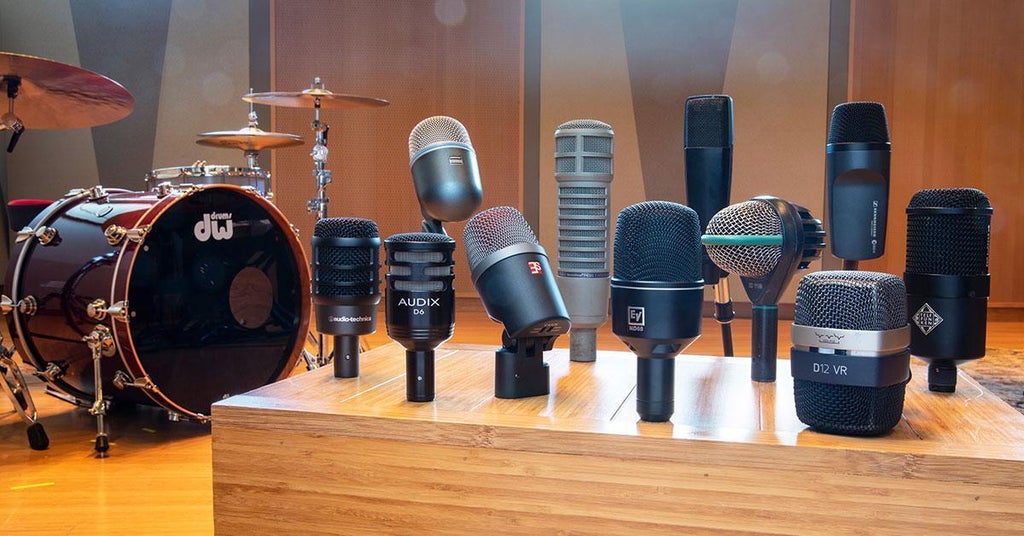
A dynamic microphone is a common choice because it handles high sound pressure levels well. Bass drums create strong low-frequency energy, especially near the beater impact point.
Large-diaphragm condenser microphones can also work. They often capture more detail and room sound, but they may pick up more bleed from cymbals and other drums. In a loud live setting, a dynamic microphone is usually easier to control.
Popular kick microphones often have a tailored low-frequency response and a small boost in the upper midrange. That design helps the bass drum sound deep and clear at the same time.
Prepare the Bass Drum Before You Place the Mic
Good microphone technique cannot fix a poorly tuned bass drum. Before you mic a bass drum, check the drum itself.
Start by making sure both heads are seated evenly. The batter head should feel firm but still move freely when struck. If the head is too loose, the drum may sound floppy. If it is too tight, the kick may lose depth.
Use a small amount of muffling if the drum rings too much. A folded towel, felt strip, pillow, or commercial dampening pad can reduce unwanted sustain. Keep the muffling light at first. Too much material can remove the low-end life from the drum.
Ask the drummer to play the same pattern they will use during the session. A bass drum may sound controlled during a light tap but become boomy during hard playing.
Check these points before positioning the microphone:
- The beater should strike the head consistently.
- The drum should not rattle at a specific note.
- The front head should not flap loosely.
- The pedal should operate without unwanted mechanical noise.
- The tuning should match the style of music.
A useful lesson from real sessions is to fix the source before reaching for EQ. A well-tuned kick often needs far less processing than expected.
How to Mic a Bass Drum With the Front Head On
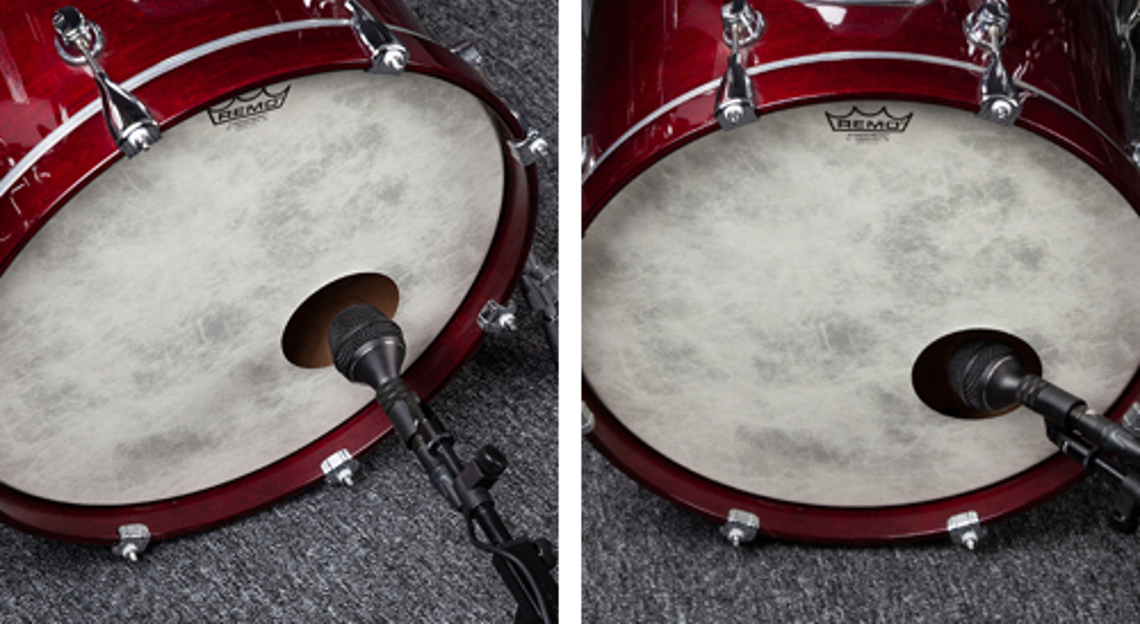
A front head, also called a resonant head, gives the bass drum a fuller and more natural tone. It also makes microphone placement less direct.
If the front head has no port, place the microphone a few inches in front of it. Start with the capsule aimed toward the center of the head. Then ask the drummer to play while you listen.
This position usually captures:
- A round low end
- A natural attack
- More resonance
- More of the drum’s full body
Move the microphone closer to the center for more punch and beater definition. Move it toward the edge for a softer attack and a more open tone.
If the microphone sounds too boomy, move it farther away. Distance can reduce excessive proximity effect and allow the drum’s sound to develop before reaching the capsule.
A microphone aimed directly at the center may sound aggressive. Angle it slightly if the attack is too sharp. Small changes can make a major difference, so move the microphone in short steps rather than making large adjustments.
How to Mic a Bass Drum With a Ported Front Head
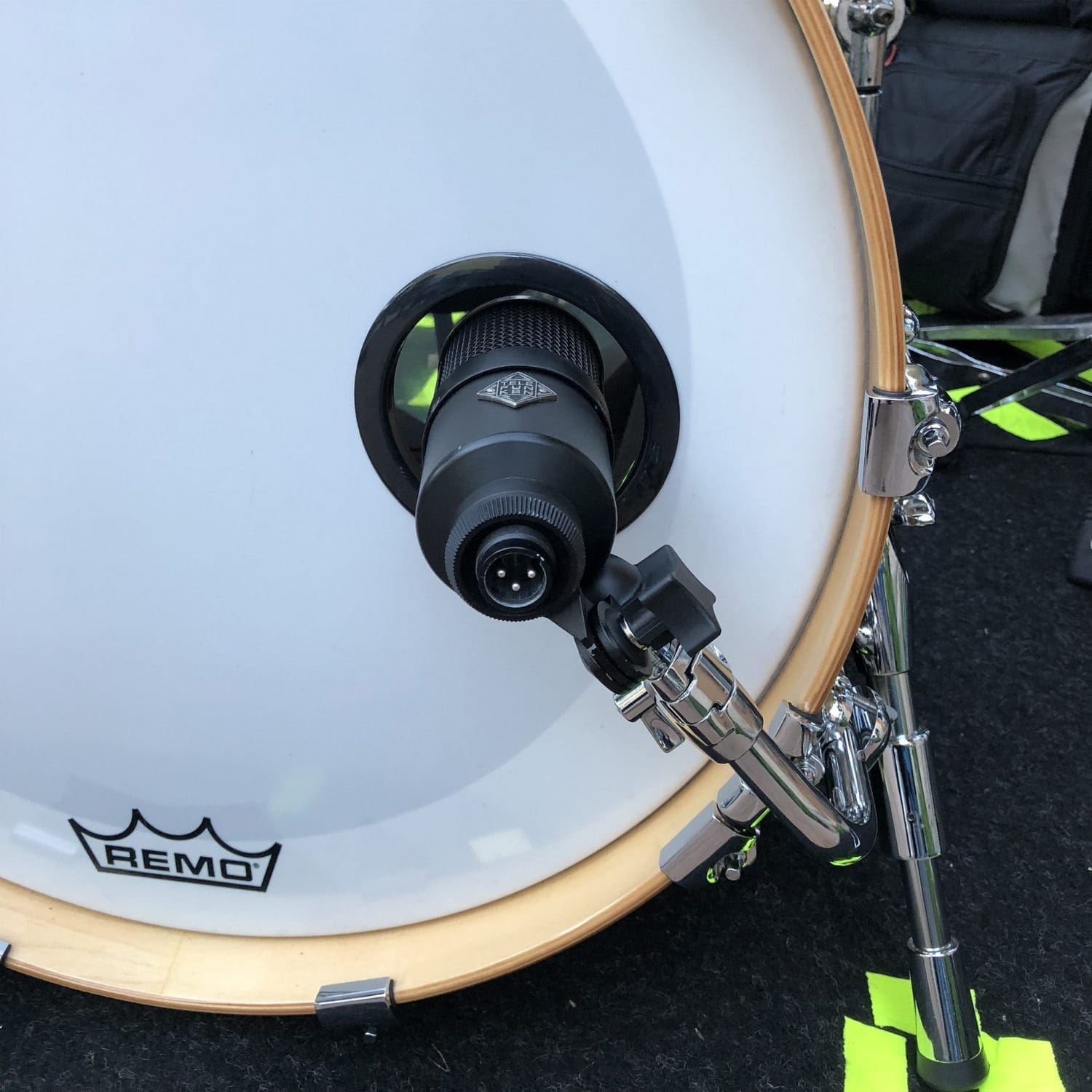
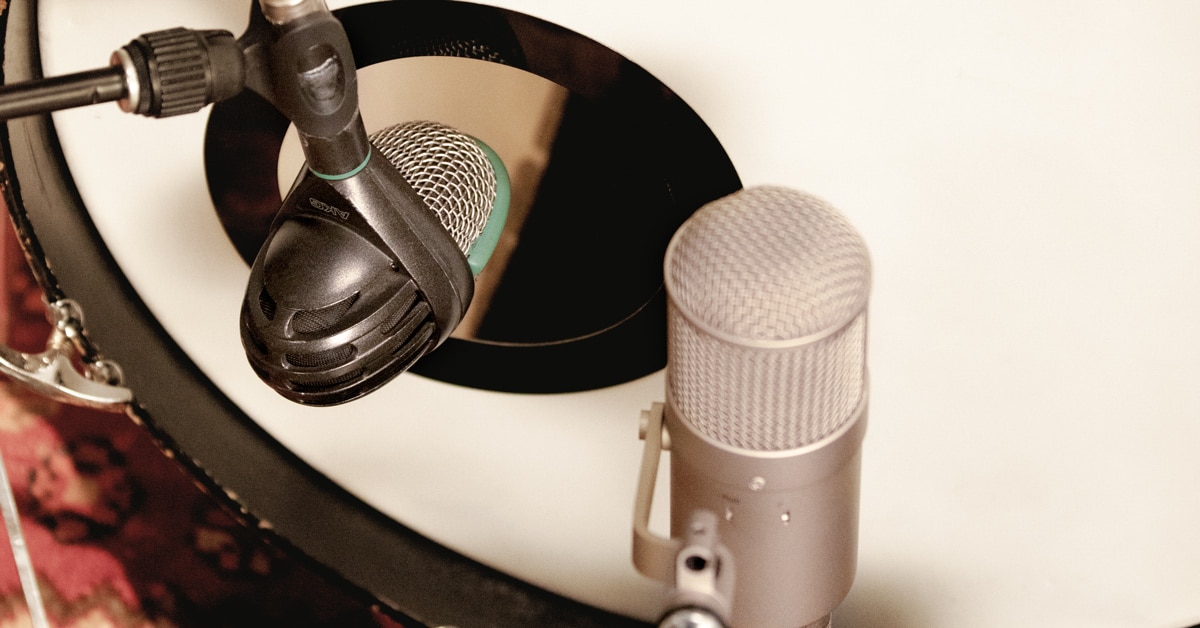
A ported front head has a hole that lets you place the microphone inside the drum. This is one of the most common methods in rock, pop, metal, country, and live sound.
To mic a bass drum through the port, begin by placing the microphone just inside the opening. Aim it toward the point where the beater hits the batter head.
This position gives you strong attack and useful low-end control. It also reduces some room sound and makes the kick easier to fit into a dense mix.
Try these starting positions:
- One to three inches inside the port for a balanced tone
- Four to eight inches inside for more attack and less room sound
- Near the beater impact point for a sharp, aggressive sound
- Off to one side for a rounder tone with less click
Do not push the microphone deep into the drum without listening. A very close position can sound thin, harsh, or overly focused. It may also exaggerate beater noise.
When learning how to mic a bass drum, treat placement as a tone control. Moving the microphone changes the sound before any equalization is applied.
How to Mic a Bass Drum From Inside the Shell
Some engineers place a microphone several inches inside the bass drum. This approach can produce a focused studio sound with strong punch.
Aim the microphone at the beater impact area, but avoid placing it so close that the capsule faces the head at an extreme angle. A slight angle can soften harsh attack and reduce unwanted click.
The inside position often works well for:
- Rock and metal kick sounds
- Fast double-pedal playing
- Dense guitar arrangements
- Live stages with high microphone bleed
- Mixes that need a clear kick attack
A microphone inside the shell may capture less natural resonance. If the sound feels too dry, move it closer to the port or blend it with a second microphone outside the drum.
Use care when placing the stand. The microphone should not touch the shell, hoops, heads, or internal muffling. Physical contact can create rattles and unwanted vibration.
A practical mistake is to place the microphone inside and forget to check the pedal path. Ask the drummer to play hard before recording. The beater, pedal, or drummer’s foot should never hit the microphone or stand.

How to Mic a Bass Drum From the Outside
An outside microphone can capture the low body and natural air movement of the bass drum. Place it several inches to a foot in front of the front head, depending on the room and the sound you want.
Closer placement usually gives more direct bass and less room sound. Greater distance captures more of the room and can make the kick feel larger.
Use an outside microphone when you want:
- A deep and natural kick tone
- More resonance from the shell
- A softer beater sound
- A vintage or roomy character
- A blend with an inside kick microphone
Large-diaphragm condenser microphones, ribbon microphones, and some dynamic microphones can work outside the drum. Always check the microphone’s maximum sound pressure level before placing a sensitive microphone close to the drum.
In a small or untreated room, an outside microphone may capture unwanted reflections. If the low end becomes unclear, move it closer or use acoustic treatment around the drum.

How to Mic a Bass Drum With Two Microphones
Using two microphones gives you more control. One microphone captures attack, while the other captures depth and resonance.
A common setup uses:
- An inside microphone near the port for punch
- An outside microphone in front of the resonant head for body
Start with the inside microphone as your main sound. Bring up the outside microphone slowly until the kick gains the weight and space you want.
Check phase before recording. When two microphones capture the same drum from different distances, their waveforms may arrive at different times. This can cause certain low frequencies to cancel.
To check phase:
- Record or monitor both microphones together.
- Listen for a strong, full low end.
- Reverse the polarity on one channel.
- Keep the setting that sounds fuller.
- If needed, adjust the timing of one track in your recording software.
Polarity reversal does not fix every timing problem. Physical placement and digital alignment may still be necessary. Trust your ears, but use the waveform display as a helpful guide.
Choosing the Best Microphone Position
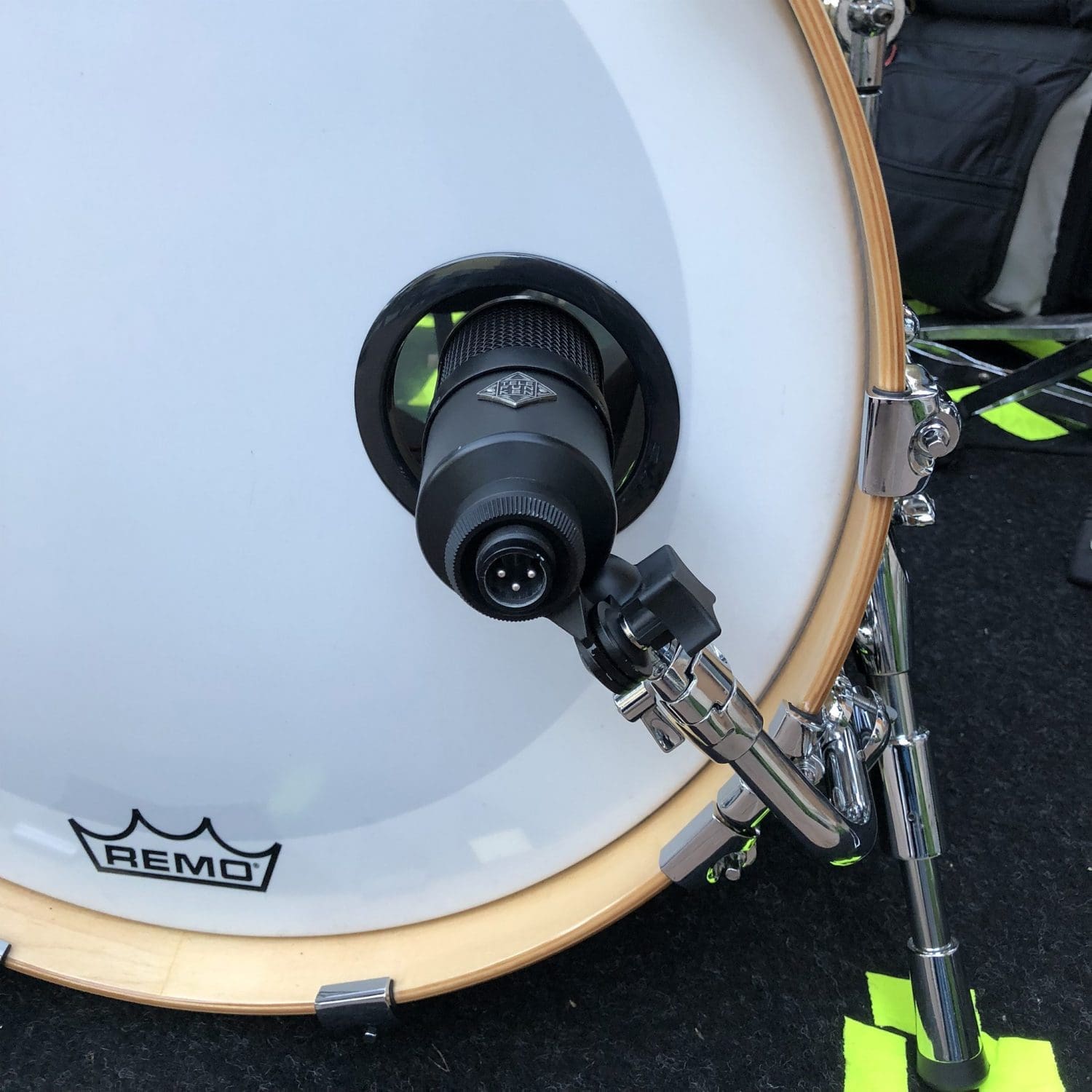
There is no single best position for every bass drum. The ideal location depends on the shell, heads, tuning, beater, drummer, room, and music style.
Use this simple placement guide:
- Near the center of the batter head: More beater attack and click
- Near the edge of the batter head: Less attack and more body
- Just inside the port: Balanced punch and low end
- Deep inside the shell: Focused attack with less room
- Outside the front head: More resonance and natural depth
- Farther from the drum: More room sound and less proximity effect
Move the microphone one variable at a time. Change its depth first, then its angle, then its distance. This makes it easier to understand what caused the tonal change.
When helping a drummer achieve a bass drum sound, I treat microphone placement like seasoning food. A small adjustment can improve the whole result, while too much processing can cover up the original flavor.

How to Mic a Bass Drum for Different Music Styles
Different genres need different kick drum qualities. The same microphone placement may not suit every arrangement.
Rock
Rock often benefits from a strong low-end thump and clear beater attack. Place a dynamic microphone just inside the port and aim it slightly off-center.
Metal
Metal usually needs speed, definition, and separation from dense guitars. Move the microphone closer to the beater impact point, but watch for excessive click.
Pop
Pop kick drums need a controlled, polished tone. A combination of inside attack and outside body can create a sound that remains clear on small speakers.
Jazz
Jazz often favors a natural, open bass drum. Use an outside microphone or place a dynamic microphone several inches from the front head.
Country
Country kick drums often need warmth without overpowering the bass guitar. Start near the port, then reduce low-mid buildup if the kick sounds too thick.