How To Loop Drum In Soundtrap: Quick Step-By-Step Guide
Loop a drum in Soundtrap quickly by creating a beat track, setting a loop region, and duplicating it.
I’ve spent years producing beats and teaching beginners how to loop drums in DAWs. This guide shows you, step by step, how to loop drum in Soundtrap with clear steps, pro tips, and real mistakes I learned from. Read on to master looping drums, tighten your groove, and make your tracks sound polished fast.

Why loop drums in Soundtrap?
Looping drums keeps your groove steady. It lets you test arrangements fast and build songs from simple patterns. Learning how to loop drum in Soundtrap speeds up workflow and helps you sketch ideas anywhere, since Soundtrap runs in a browser and syncs projects to the cloud.

What you need before you start
- A Soundtrap account and web browser or the Soundtrap app.
- Basic familiarity with the timeline, transport controls, and adding tracks.
- Headphones or monitors for accurate drum sounds.

Source: youtube.com
Step-by-step: How to loop drum in Soundtrap
- Create a new project and add a drum track
- Click "Enter Studio" and choose New Project.
- Add a track and pick "Beats & Loops" or "Drums" from the instrument list.
- If you prefer samples, add an Audio track and import a drum sample.
- Make or choose a drum pattern
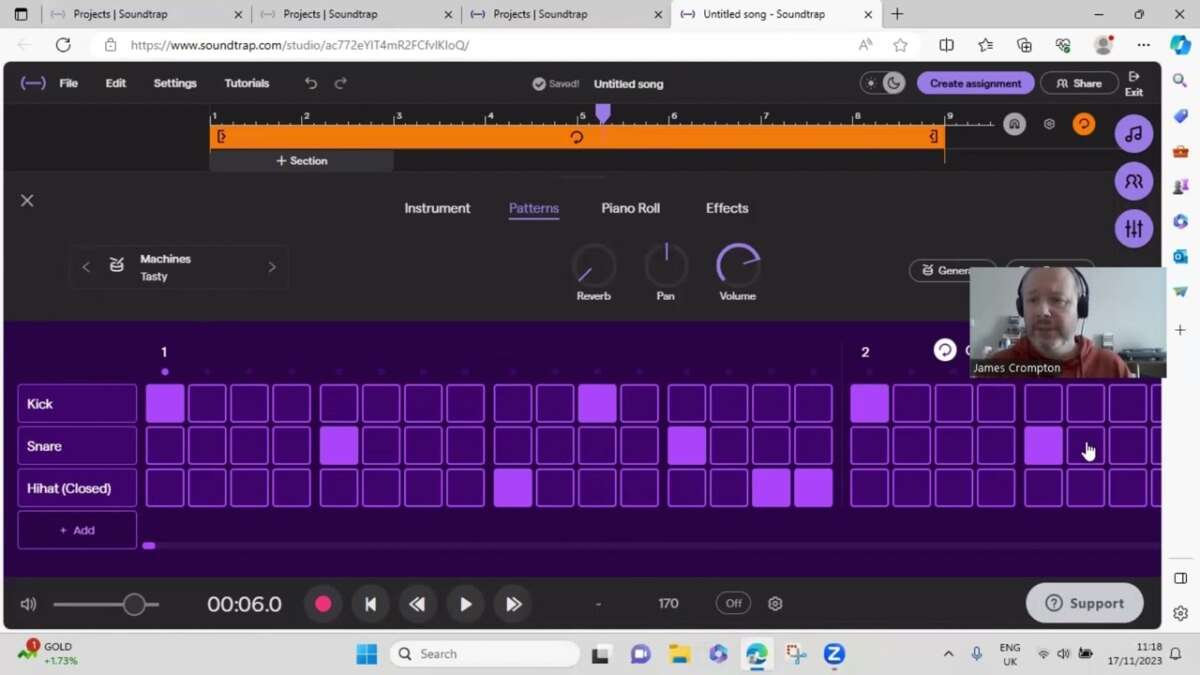
- Use Soundtrap’s Drum Machine to program a beat with the step sequencer.
- Or record a live performance with a MIDI controller or by tapping pads.
- Set the loop region
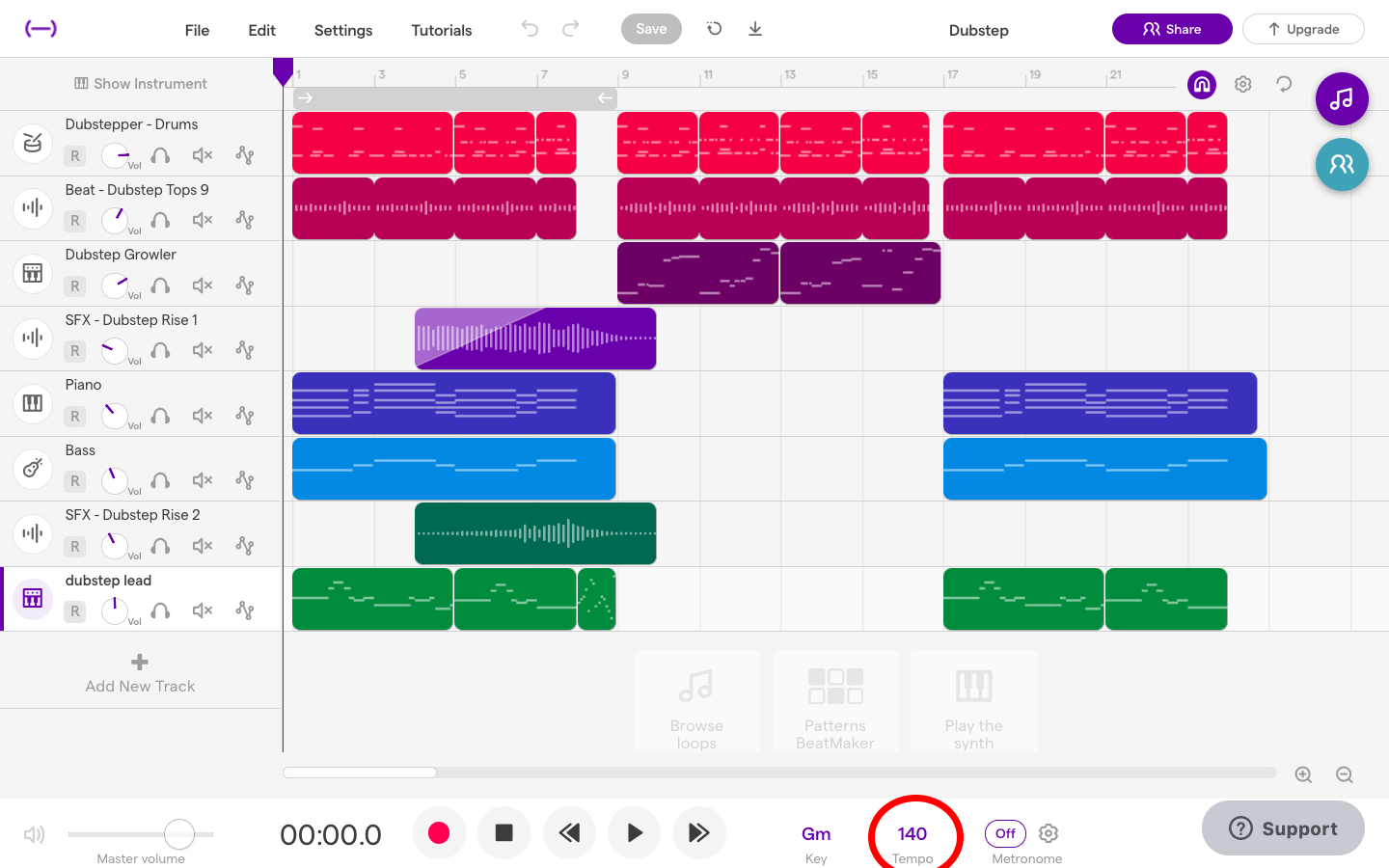
- Drag the playhead to the start of the bar you want to loop.
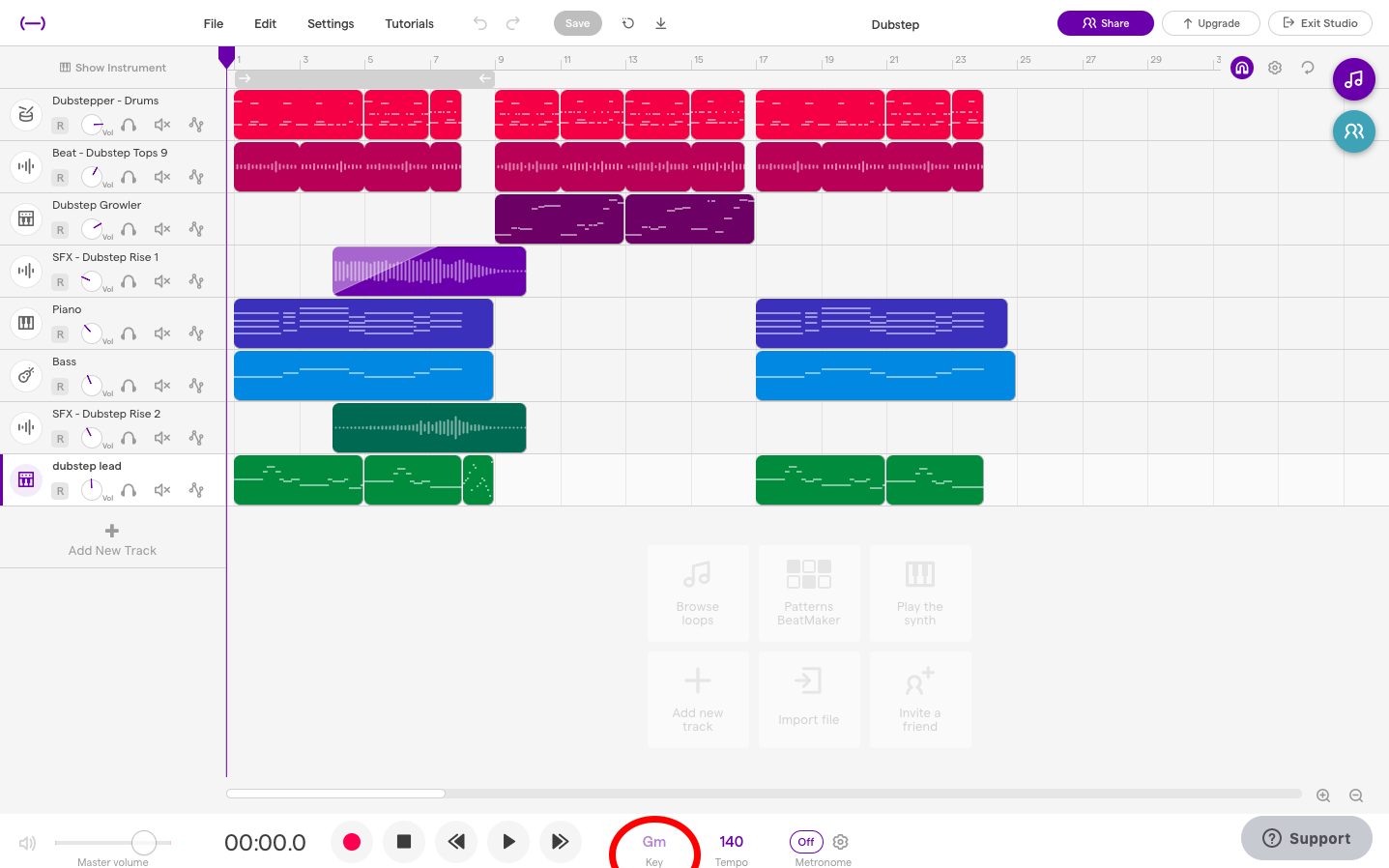
- Click and drag the loop bracket on the timeline to cover the bars you want to repeat.
- Toggle the Loop button in the transport bar so playback repeats that region.
- Duplicate and extend the loop
- Select the clip and press duplicate or copy-paste to repeat the drum clip along the timeline.
- Use Snap-to-grid so duplicates align perfectly with measures.
- Fine-tune timing and feel
- Quantize MIDI notes if you need tighter timing.
- Nudge audio clips by small increments for a human feel.
- Save and export looped sections
- Use “Export” or “Download” to bounce the loop as a WAV/MP3 if you want to use it elsewhere.
Following these steps teaches you how to loop drum in Soundtrap in a way that keeps your groove consistent and your arrangement flexible.
Source: deptofsound.org
- Use “Export” or “Download” to bounce the loop as a WAV/MP3 if you want to use it elsewhere.
Editing and customizing drum loops
- Velocity and dynamics: Lower or raise note velocity to make loops feel human.
- Quantize settings: Use light quantize for swing, stronger quantize for rigid timing.
- Layering: Add multiple drum sounds under one beat for a fuller tone.
- FX and processing: Add compression, EQ, reverb, and saturation from Soundtrap’s effects panel.
- Chop and rearrange: Split a looped drum clip and reorder bars for variety.
These edits let you shape how your loop sits in the mix and teach you more ways to loop drum in Soundtrap creatively.

Source: youtube.com
Advanced techniques and creative ideas
- Use automation to change drum volume, filter, or reverb across loops for movement.
- Reverse short drum hits or grab a one-bar loop and resample it to create new texture.
- Sidechain the bass to a kick loop for a pumping feel.
- Create multiple loop lengths (for example, 4-bar kick loop and 3-bar hi-hat loop) for evolving polyrhythms.
- Collaborate in real time: invite a friend to tweak the drum loop in Soundtrap and get fresh ideas.
These advanced moves show you how to loop drum in Soundtrap beyond simple repeating, making your beats more musical and dynamic.

Source: deptofsound.org
Common issues and troubleshooting
- Loop sounds out of time: Check sample rate and quantize settings, and confirm the grid is set to the right time signature.
- Click or gap between duplicates: Use crossfade or make sure clip edges are trimmed cleanly.
- Low drum quality: Swap to higher-quality samples or add subtle saturation and EQ.
- MIDI not recording: Confirm input device is selected and MIDI channel settings are correct.
- Cloud sync problems: Save locally and re-sync if collaborators can’t see the latest loop.
These fixes will help you keep looping drums smoothly and avoid hiccups while you learn how to loop drum in Soundtrap.

Source: youtube.com
Personal tips and mistakes I made
- I used tight quantize on early tracks and lost groove. Now I use light quantize plus small human nudges.
- I once exported loops at the wrong BPM. I now label exported files with BPM and key.
- Tip: Save versions. If a loop sounds great, duplicate the project version before experimenting.
These are simple, real lessons from my studio time that help you loop drum in Soundtrap with fewer errors.
Source: deptofsound.org
Frequently Asked Questions of how to loop drum in soundtrap
How do I loop a specific bar range in Soundtrap?
Select the loop bracket on the timeline, drag it to cover the bars you want, then enable the Loop button in the transport controls. Playback will repeat that range until you stop it.
Can I loop audio samples and MIDI equally in Soundtrap?
Yes. You can loop MIDI clips from the Drum Machine or loop audio clips by selecting and duplicating them. Both methods let you edit timing and apply effects.
How do I make a drum loop sound more natural?
Avoid 100% quantize; tweak velocities and slightly offset some hits. Layer different drum sounds and add subtle variation every few bars to keep the loop lively.
Is it possible to export just the looped drum section?
Yes. Set the loop range, then export or download the looped selection as an audio file. Choose the format and BPM options before exporting.
How can I collaborate on drum loops in Soundtrap?
Invite collaborators to your project via the Share button. They can edit beats live or add new loops while you work in the same cloud project.
Conclusion
You now have clear steps and pro tips for how to loop drum in Soundtrap. Start simple: build a one-bar pattern, set the loop region, and then polish with velocity, EQ, and automation. Try the advanced ideas and save versions as you go. Now open Soundtrap, make a drum loop, and share what you create—leave a comment or subscribe for more tips.

Senior Music Reviewer
Alex Carter is a seasoned music reviewer with over a decade of experience in the world of sound and instruments. Passionate about helping musicians and enthusiasts make informed choices, he brings sharp insights and in-depth knowledge to every review. From classical instruments to modern gear, Alex combines technical expertise with a love for music to deliver content that resonates with readers.
As a Senior Music Reviewer and expert author on Tuneluma.com, Alex is dedicated to sharing honest evaluations, practical advice, and thoughtful commentary to guide readers in their musical journey.