How To Add Drum Kits To Fl Studio: Quick Step-By-Step Guide
Drag and drop kit folders or load VSTs and samples into FL Studio’s Browser.
I’ve taught producers and mixed beats in studios for years, so I know exactly how to add drum kits to FL Studio in ways that save time and keep your project organized. This guide covers every practical method — from dragging WAVs into the Channel Rack to loading third‑party VST kits — plus real tips I use in sessions, troubleshooting, and workflow tricks so you can get sounding great fast.
Why add drum kits to FL Studio?
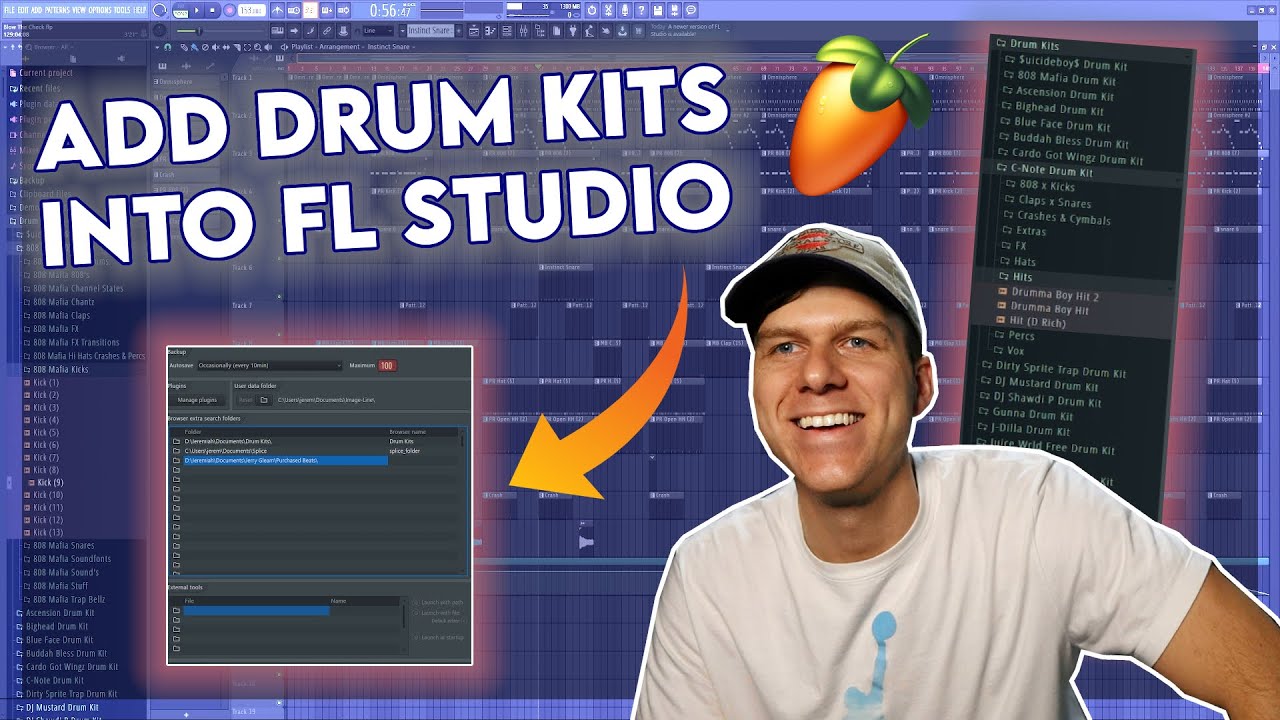
Adding drum kits to FL Studio gives you quick access to sounds and templates. That speeds up beat creation and keeps your projects consistent. Whether you want one-shot samples, mapped multi-sample kits, or full VST drum instruments, FL Studio can host them. Learning how to add drum kits to FL Studio helps you move from idea to finished beat faster.
Types of drum kits and file formats to know
There are a few common kit types and formats you’ll meet when you learn how to add drum kits to FL Studio.
- One-shot sample kits: individual WAV or AIFF files for kicks, snares, hats.
- Layered kits: multiple samples used together for one sound.
- Multisampled kits: many velocity layers mapped across keys (often in Kontakt or DirectWave).
- Plugin-based kits: VSTs like drum instruments or ROMplers that load entire kits.
Supported formats include WAV, AIFF, FLP presets, SFZ, and plugin formats via VST/AU. Understand the format before adding it to FL Studio to avoid compatibility issues.
Preparing your drum kits (folder structure and naming)
Preparation makes adding kits easier and keeps your library usable.
- Create a parent folder called “Drum Kits” on your drive.
- Inside, make subfolders per kit name, e.g., “Trap Kit 01 — 2026”.
- Name samples clearly: kick01.wav, snare_clap.wav, hh_closed.wav.
- Include a README for license info or tempo/Tune notes.
Organized folders let FL Studio’s Browser index kits fast. When you know how to add drum kits to FL Studio this way, you’ll stop hunting for sounds.
Method 1 — Drag-and-drop samples into the Channel Rack
This is the fastest way to add one-shot kits.
- Open FL Studio and show the Browser/Plugin picker (press F8 or view Browser).
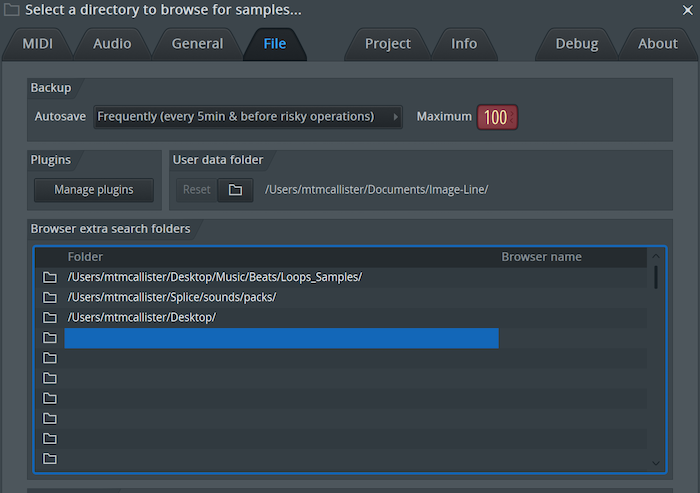
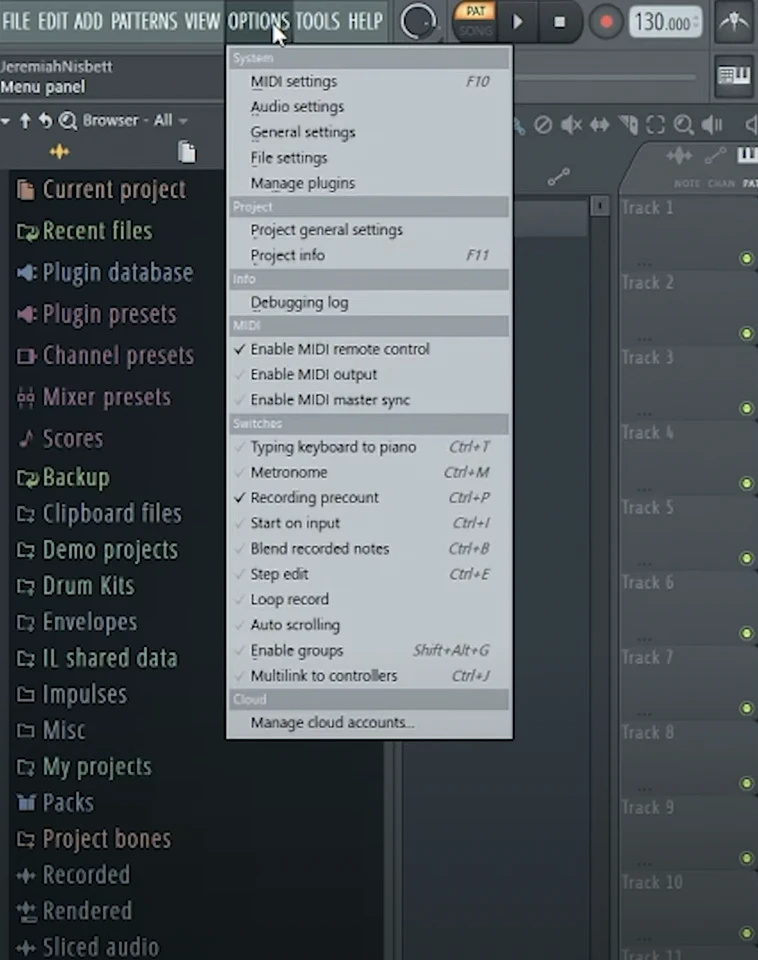
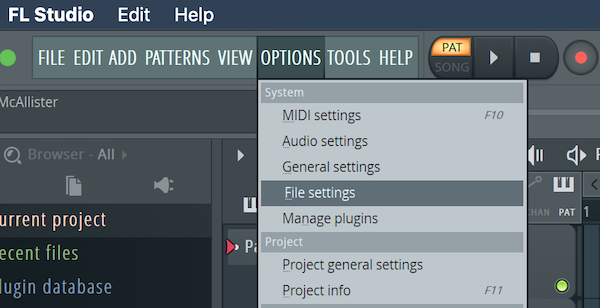
- Navigate to your kit folder in your file system. You can also add the folder to FL’s Browser locations (Options > File Settings > Browser extra search folders).
- Select one or multiple WAVs and drag them to the Channel Rack or Playlist.
- Each sample becomes a Sampler channel. Rename channels and color them for clarity.
Use this method when you want quick access to raw samples and manual sequencing. It’s the core of how to add drum kits to FL Studio for many beatmakers.

Method 2 — Load kits into FPC (FL Pad Controller)
FPC is great for pad-mapped kits and velocity layers.
- Open the Channel Rack, click the +, and choose FPC.
- In FPC, click File > Load bank, or drag individual samples onto pads.
- For each pad, set sample start, tune, and velocity layers.
- Save your FPC bank for reuse: File > Save bank as.
FPC is ideal when you want a classic MPC-style pad layout. Learning how to add drum kits to FL Studio into FPC helps when performing or mapping kits to MIDI controllers.

Method 3 — Load multisampled kits into DirectWave or Sampler channels
Use DirectWave or the Sampler for multisampled instruments.
- DirectWave: Open DirectWave, click Load, then import an instrument or folder of samples. Map velocity layers and key ranges.
- Sampler / Channel Sampler: Drag samples into the Sampler channel. Use the multisample mode to map notes manually.
This approach works when kits include multiple velocity layers or when you want keyboard mapping. It’s another common route for how to add drum kits to FL Studio for more expressive playing.

Method 4 — Install and use third-party drum VSTs and libraries
Many pro kits come as VSTs or Kontakt libraries. Here’s how to add them.
- Install the plugin/library per the vendor’s instructions.
- In FL Studio, set your plugin folder in Options > Manage plugins > Plugin search paths.
- Run the Plugin Manager and scan for new plugins.
- Add the plugin from the Plugin Picker or Channel Rack and load the factory or user kit inside the VST.
For Kontakt libraries, use Kontakt inside FL Studio. This method is key for high-end multisampled kits and drum engines. It’s a major part of how to add drum kits to FL Studio when you need pro sound.

Organizing kits, tagging, and presets
Once kits are in FL Studio, keep them easy to find.
- Use FL Studio’s Browser extra folders to add top-level kit folders.
- Save Channel Presets: right-click a channel > Save preset as.
- Save FPC or DirectWave banks for quick recall.
- Create a naming scheme: genre_kitname_tempo_key.
Good organization speeds up sessions and collaboration. Knowing how to add drum kits to FL Studio is only half the job—organizing them matters equally.

Troubleshooting common problems
Problems can happen when you add kits. Here’s how to fix common issues.
- Missing samples: check the original folder path or relink via Browser.
- Wrong pitch or tempo: tune samples or use stretch settings in the Sampler.
- Plugin not found: confirm the VST path and rescan plugins in Plugin Manager.
Staying methodical helps. When learning how to add drum kits to FL Studio, patience and structure prevent headaches.
Practical tips, workflow, and mixing advice
These tips come from years of sessions and producing beats.
- Keep a “starter kit” with go-to kicks and snares for fast sessions.
- Use groups and busses: route drums to a single Drum bus for glue compression and EQ.
- Label channels and color-code per instrument type.
- Save templates with FPC or default Channel Rack setups.
Good workflow equals faster output. If you practice how to add drum kits to FL Studio and combine it with neat mixing steps, your beats will sound tighter and mix-ready.
Personal experience: lessons learned and common mistakes
I’ve worked with many producers who lose time on small errors. Here’s what I learned.
- Don’t leave kit files scattered on the desktop. That breaks projects when moving machines.
- Always save FPC banks and plugin presets with projects.
- Test kits at different velocities and tempos before committing.
When I first moved studios, I lost samples due to bad paths. Now I always set Browser extra search folders. This direct experience shapes how I teach people how to add drum kits to FL Studio.
People also ask (quick PAA-style answers)
How do I install a drum kit in FL Studio?
Install by placing the kit folder in a stable drive, adding that folder to FL Studio’s Browser paths, then drag samples to the Channel Rack or load them into FPC or a VST.
Can I use Kontakt libraries in FL Studio?
Yes. Install Kontakt, set FL Studio to scan the VST path, load Kontakt as a plugin, and open your library inside Kontakt.
How do I keep projects portable after adding kits?
Save all samples in your project folder (File > Export > Project bones or Collect samples) and use relative paths or the Project folder feature.
Frequently Asked Questions of how to add drum kits to fl studio
How do I add a drum kit folder to the FL Studio Browser?
Go to Options > File Settings and add your kit folder under Browser extra search folders. FL Studio will index it so you can drag samples directly.
What’s the fastest way to add samples to a beat?
Drag and drop WAV files from your file explorer or the FL Browser into the Channel Rack. It’s fast and keeps things simple.
How do I save a custom kit for future projects?
Save FPC banks, Channel Presets, or export a project template. Use File > Save as or save plugin presets directly.
Why are some kits out of tune or wrong pitch?
Samples may be recorded at different tunings. Use the Sampler pitch controls or fine-tune in your plugin to match kit elements.
Can I use third-party drum VSTs inside FL Studio?
Yes. Install the plugin, add its folder to FL Studio’s plugin paths, rescan in Plugin Manager, and load the VST into the Channel Rack.
How do I map multiple velocity layers for one drum sound?
Use DirectWave, FPC, or a multisampler like Kontakt to map samples across velocity layers and keys for dynamic response.
What should I do if FL Studio can’t find my samples after moving a project?
Use Project > Manage and check “Auto find missing samples” or manually relink folders in the Browser. Collect samples into the project folder to avoid repeat issues.
Conclusion
You now have a clear playbook for how to add drum kits to FL Studio — from quick drag-and-drop one-shots to multisampled libraries and VST instruments. Start by organizing your kits, then pick the method that fits your workflow: Channel Rack for speed, FPC for pads, DirectWave or Kontakt for multisampled detail, and VSTs for pro sounds. Try adding one kit today, save it as a template, and build a go-to library that speeds your projects. If this helped, subscribe, leave a comment with your go-to kit, or try the steps in your next session to see the difference.

Senior Music Reviewer
Alex Carter is a seasoned music reviewer with over a decade of experience in the world of sound and instruments. Passionate about helping musicians and enthusiasts make informed choices, he brings sharp insights and in-depth knowledge to every review. From classical instruments to modern gear, Alex combines technical expertise with a love for music to deliver content that resonates with readers.
As a Senior Music Reviewer and expert author on Tuneluma.com, Alex is dedicated to sharing honest evaluations, practical advice, and thoughtful commentary to guide readers in their musical journey.