How To Tune High E To D On Guitar Tuna: Quick Guide
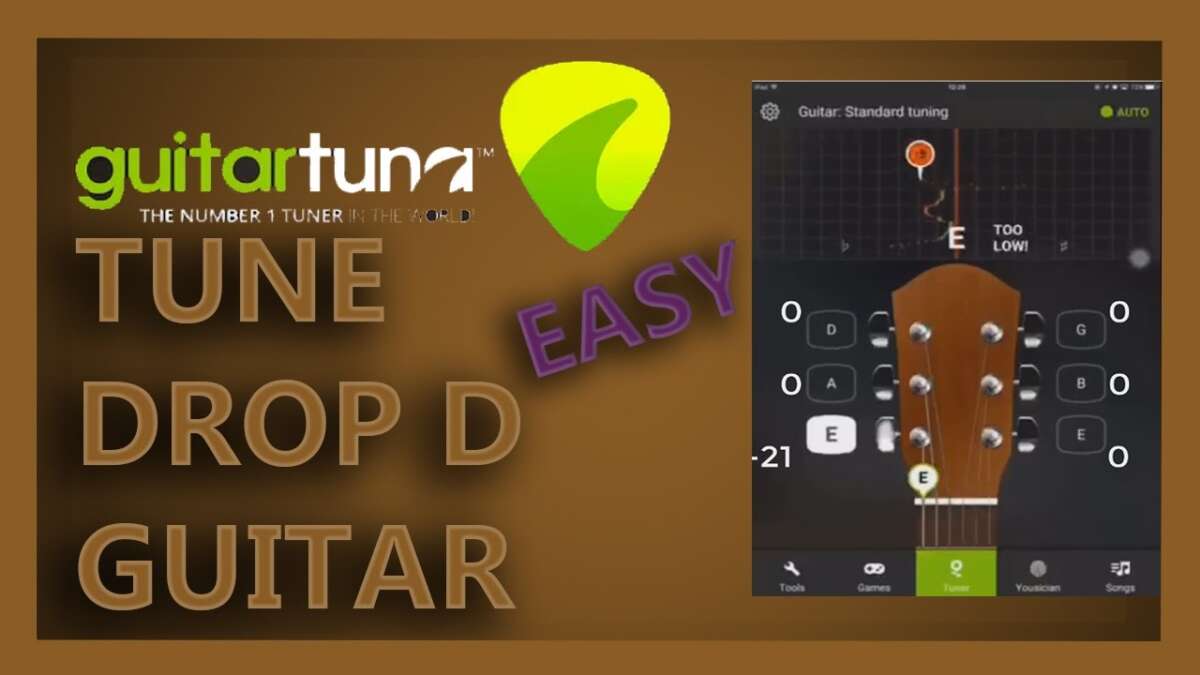
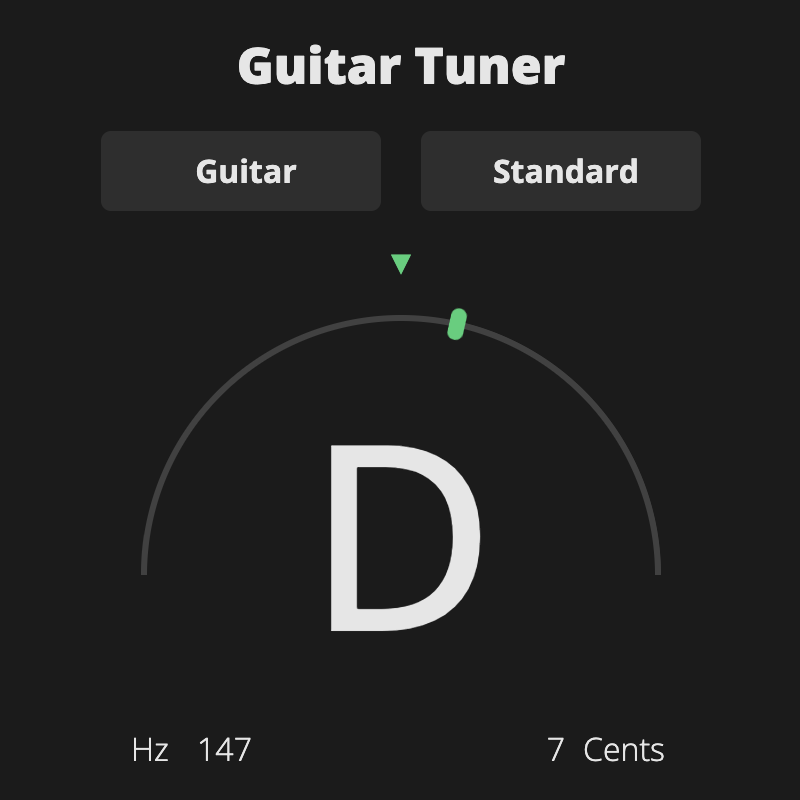
Open GuitarTuna, choose D, pluck the high E and lower its pitch until the app shows D.
I’ve tuned thousands of strings and taught players how to tweak sounds fast. This guide shows exactly how to tune high E to D on GuitarTuna with clear steps, tips, and fixes. You’ll learn a reliable workflow, avoid common mistakes, and get your guitar sounding right in minutes.

Why tune high E to D?
Tuning the high E down to D gives you a mini drop-D sound on the top string. It adds low-end weight to riffs and makes some chord voicings easier. Many songs and styles use this tweak for a fuller sound without retuning the whole guitar. Knowing how to tune high E to D on GuitarTuna keeps you flexible in live and practice settings.

What you need before you start
- A guitar with strings in decent shape. Old strings slip and give wrong readings.
- GuitarTuna app installed and updated on your phone or tablet.
- A quiet room so the tuner hears only your string.
- A pick or finger to pluck the string cleanly.
- Optional: a capo or electronic metronome if you want to check timing while tuning.

Step-by-step: How to tune high E to D on GuitarTuna
- Open GuitarTuna and let the app access your microphone if prompted.
- Set the tuner to Chromatic mode. This lets you tune to any note, including D.
- Select D as your target note if the app gives a note picker. If not, just watch the readout.
- Pluck the high E string cleanly once. Hold it steady for a moment so the tuner can read the pitch.
- If the needle or display shows a note higher than D, loosen the tuning peg for the high E string. Turn slowly.
- If the display shows lower than D, tighten the peg gently.
- Aim for the center mark or green area that indicates an in-tune D. The app will display “D” when you hit the note.
- Check by playing an open D chord shape or matching the sound to the open D string (4th string) if you want double-check.
- Re-check the string after a few minutes. New tuning can slip a bit and needs a final tweak.
Tips inside the steps:
- Turn the peg in small steps. Big turns overshoot. Small moves are precise.
- Pluck the same hardness each time. The tuner reads more consistently this way.

Fine-tuning, tips, and troubleshooting
- If GuitarTuna reads the wrong octave, ensure you are plucking the high E, not another string. Muffled notes confuse the app.
- Calibrate to 440 Hz only if you need concert pitch. Most players leave it at 440 for standard tuning.
- If the string keeps slipping, stretch it gently by pulling it up from the middle and retune. New or poorly wound strings need stretching.
- If the tuner flickers, move to a quieter place or use a clip-on tuner as an alternative.
- For live use, consider placing your phone closer to the guitar soundhole for better mic pickup.
Common issues and fixes:
- Problem: The tuner shows a note near D but won’t lock. Fix: Play the string louder and pluck the center of the string. Keep the phone microphone close.
- Problem: Tuning changes after a few seconds. Fix: Stretch the string, check the nut and bridge for binding, and ensure the tuning peg goes smoothly.

Personal experience and lessons learned
I once tried to tune high E to D before a gig and tightened too fast. The string snapped mid-song. Since then I tune slowly and always carry a spare string. I also teach students to mark the peg position when they tune down so they can recover quickly. Small habits like slow turns and checking the string tension save time and prevent breaks.
Related tunings and when to use them
- Drop D (D A D G B E) changes only the low E down to D. It gives a deeper bass sound for riffs.
- Double drop D (D A D G B D) tunes both E strings down to D and creates a wide, droning sound.
- Half-step down tuning lowers every string by one semitone and is common for vocal comfort.
How to tune high E to D on GuitarTuna pairs well with these tunings when you want extra variety without full retune.

Frequently Asked Questions of how to tune high e to d on guitar tuna
How long does it take to tune high E to D on GuitarTuna?
Tuning usually takes under a minute if strings are in good shape. New strings may need extra stretching and a few retunes.
Will tuning high E to D damage my guitar?
No. Lowering a string by one whole step adds less tension change than many people expect. Check string condition and stretch new strings to avoid slips.
Can I tune high E to D for acoustic and electric guitars with GuitarTuna?
Yes. GuitarTuna works for both. Acoustic guitars need a quieter room for accurate readings, while electrics can use direct inputs or clip-on tuners for precision.
Should I use chromatic mode to tune high E to D on GuitarTuna?
Yes. Chromatic mode is the most flexible and helps you target D precisely. It avoids note guessing by the app.
How often should I recheck the tuning after tuning high E to D?
Check again after a few minutes and after playing for a short time. Strings settle quickly, and a quick retune keeps the sound accurate.
Conclusion
You can quickly and reliably tune high E to D on GuitarTuna by using chromatic mode, plucking cleanly, and making small peg adjustments. Practice the steps, stretch new strings, and use the troubleshooting tips to avoid common pitfalls. Try this tuning on a few songs to hear the difference, and leave a comment with your favorite track that uses high E tuned to D.

Senior Music Reviewer
Alex Carter is a seasoned music reviewer with over a decade of experience in the world of sound and instruments. Passionate about helping musicians and enthusiasts make informed choices, he brings sharp insights and in-depth knowledge to every review. From classical instruments to modern gear, Alex combines technical expertise with a love for music to deliver content that resonates with readers.
As a Senior Music Reviewer and expert author on Tuneluma.com, Alex is dedicated to sharing honest evaluations, practical advice, and thoughtful commentary to guide readers in their musical journey.